
SRadar See what is being said. Capture the context.
SRadar monitors and analyses social media conversations about institutions and brands.
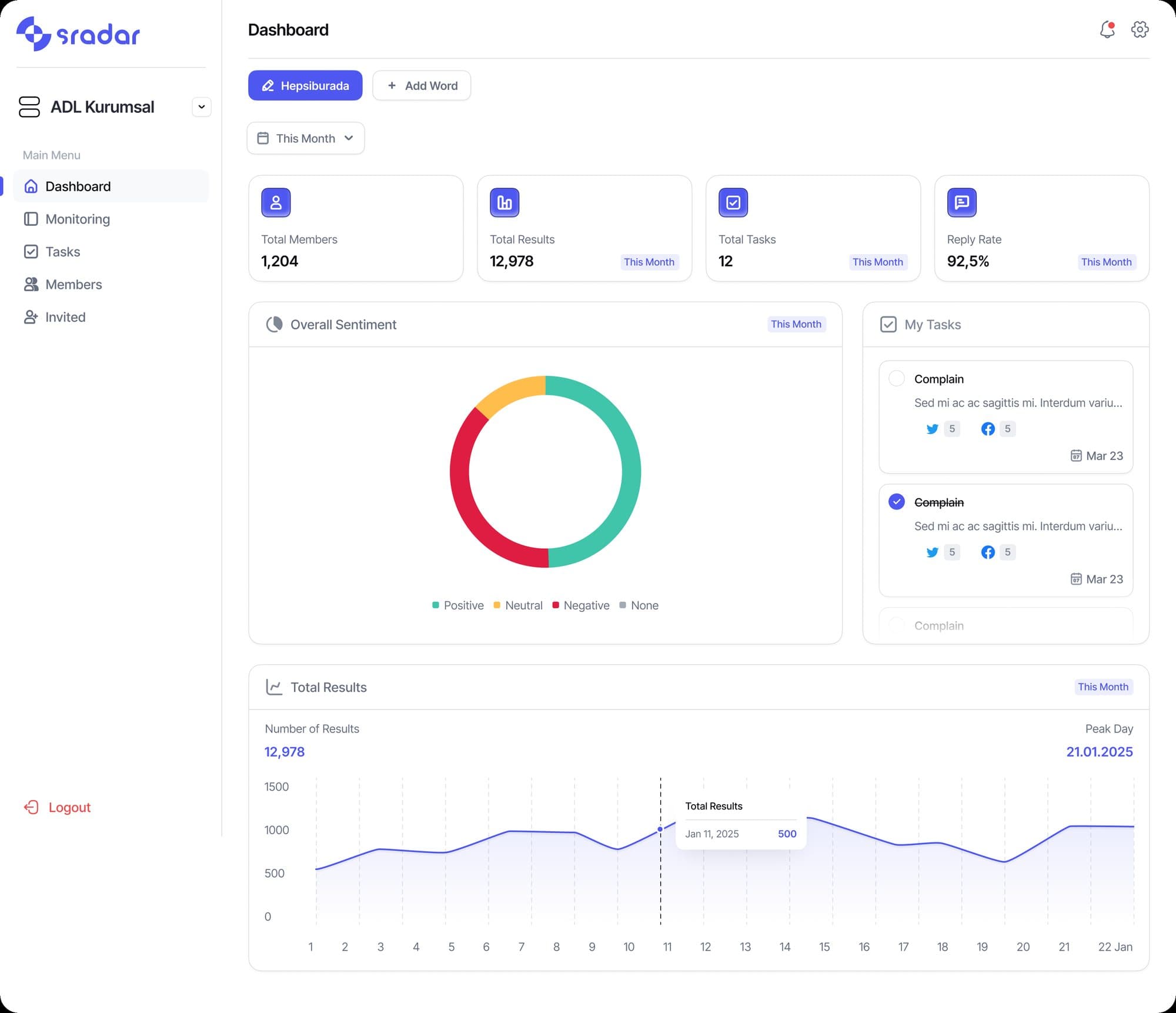
Product images are taken from the presentations in our promotional catalogue.
Who uses it
Used by corporate communications, brand and social media teams.
What problem it solves
Conversations about an institution do not gather in one place. Among scattered posts it becomes hard to see the agenda and the context. SRadar brings these conversations together for monitoring and analysis.
Who follows the conversation, and how
Scanning data across different platforms by hand and making sense of it is close to impossible. SRadar opens the same conversation flow to teams that look at it with different questions.
Corporate communications
Follows the context in which the institution's name comes up, the sentiment breakdown and the leading topics, and sees the agenda early through instant crisis alerts.
Brand team
Tracks posts and comments about the brand, including App Store reviews, by keyword and by account.
Social media team
Takes on the critical posts that land on the Social CRM screen; tasks are distributed evenly among team members.
Team manager
Monitors escalations, process quality and the team's engagement performance from one screen.
What SRadar captures
Monitoring
The team defines the institution or brand to monitor. Social media conversations about that institution or brand are followed.
- Monitoring runs on chosen keywords or on corporate accounts defined directly.
- Supported social media platforms and digital sources are monitored across channels.
- App Store reviews are among the feedback being monitored too.
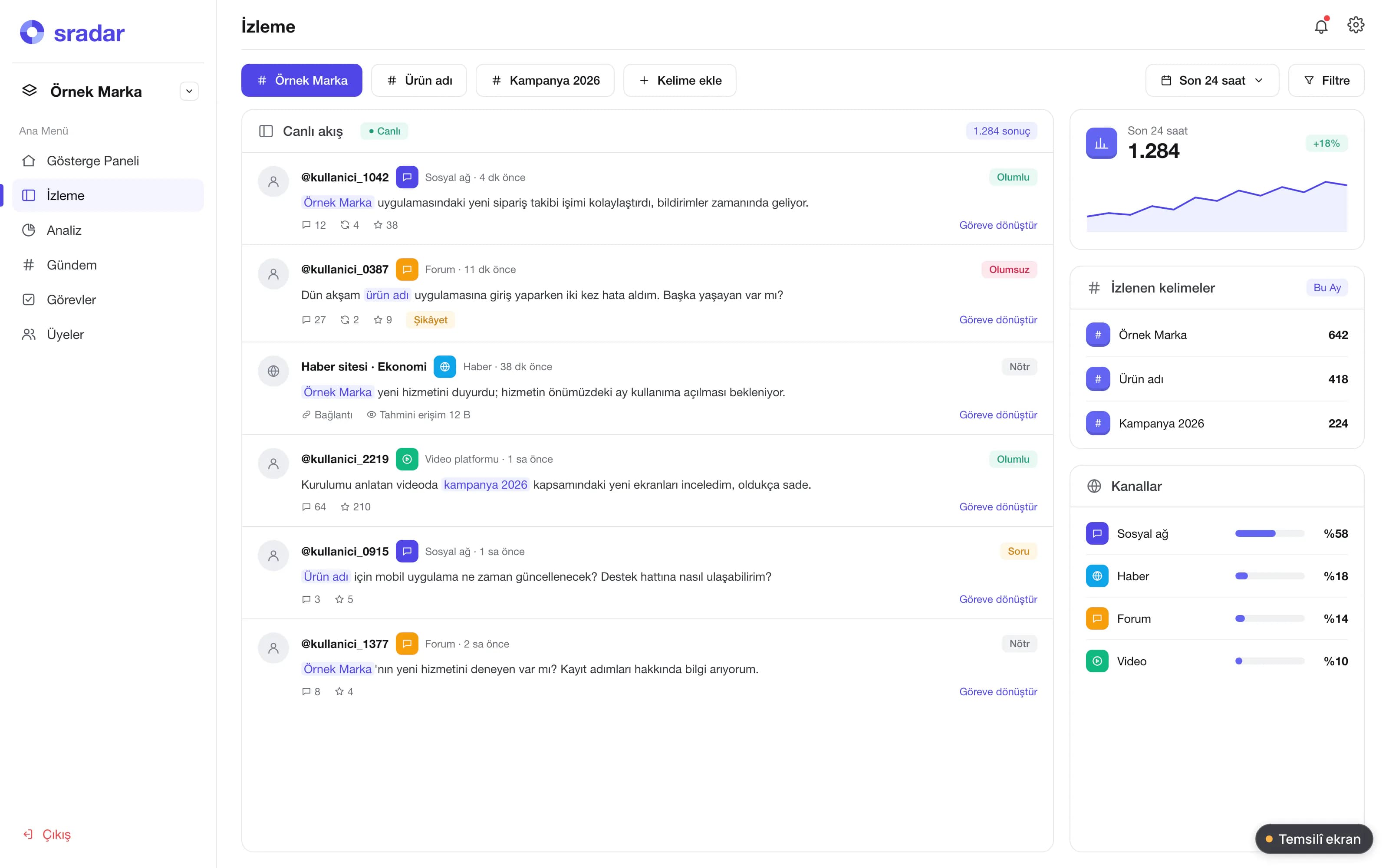
Illustrative screen Watch list. "Sample Brand", keywords and conversation feed. Analysis
Scattered posts are assessed together. The team gains a meaningful view from the conversations as a whole.
- Incoming posts and comments are analysed in depth.
- Keyword analysis evaluates the content arriving through each keyword as a whole.
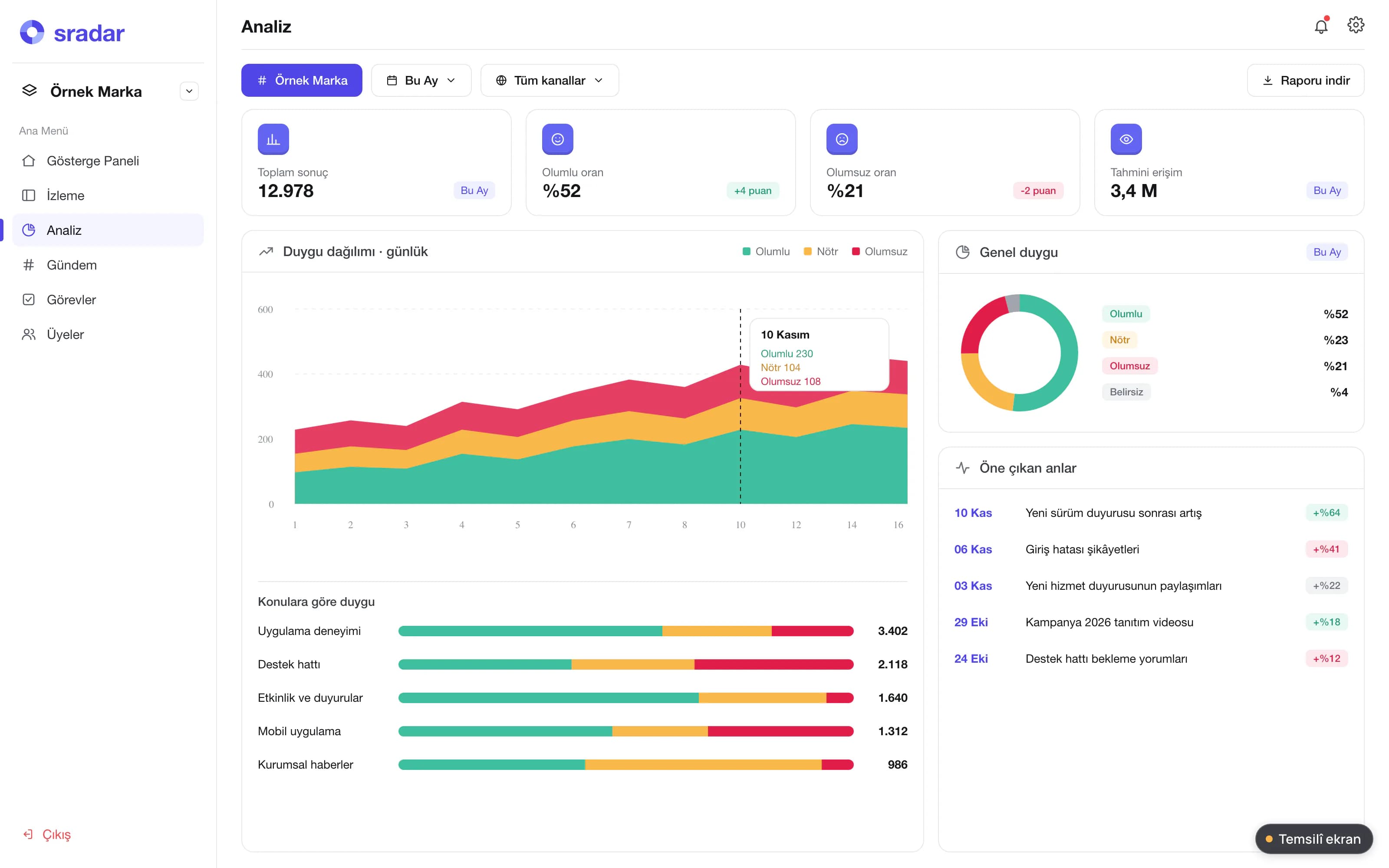
Illustrative screen Analysis. Timeline and topic clusters; posts are anonymised and data are samples. Communications focus
It provides decision support to teams assessing the agenda. The team interprets a conversation not in isolation but together with its context.
- Monitoring, analytics and crisis management come together in a single flow.
- Posts that need attention are routed to the team.
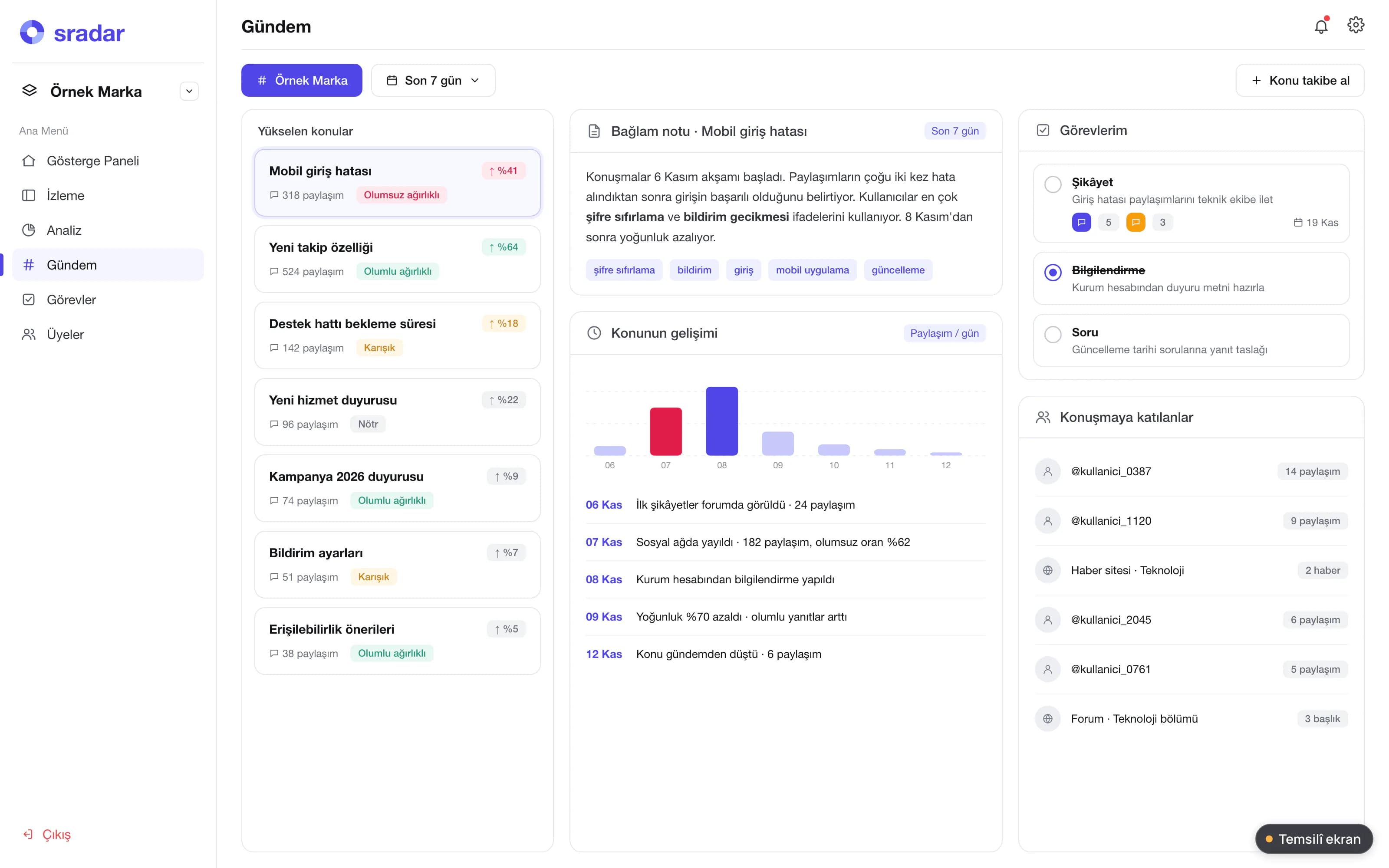
Illustrative screen Agenda summary. Featured topics, context note and team tasks.
AI sentiment analysis
An AI-based sentiment analysis engine automatically classifies every captured item as positive, negative or neutral. The team sees the overall trend without reading every piece of feedback one by one.
- Positive, negative and neutral classification
- Classification is automatic.
Social CRM and task distribution
SRadar is not just a listening tool. Critical posts that need review are routed to the Social CRM screen, and its escalation and task management layer can assign posts to team members automatically and evenly.
- Critical posts land on the Social CRM screen.
- Posts can be assigned to team members automatically and evenly.
- Escalation takes a post to the person who needs to see it.
Instant crisis alerts
Crisis management sits in the same flow as monitoring and analytics. Instant crisis alerts help the team assessing the agenda act quickly.
Performance tracking
The quality of operational processes and the team's engagement performance are monitored transparently from a single screen.
Dashboard, mobile app and reports
The dashboard screen shows the monitored workspace and conversation summaries together. The product scope also includes a mobile app and report content.
Illustrative screens are prepared to explain what the product does; they contain no real institution, person or outcome data.
The path of a post
- The institution or brand to monitor is defined with its keywords and corporate accounts.
- Posts and comments on supported platforms, App Store reviews included, are collected.
- Sentiment analysis classifies each item as positive, negative or neutral.
- A critical post lands on the Social CRM screen and is assigned to a team member.
- It is escalated when needed; in a crisis, the team receives an instant alert.
- The communications team interprets the agenda and its context; team performance is monitored from one screen.
Frequently asked questions about SRadar
Which sources does it monitor?
It monitors supported social media platforms and digital sources, including App Store reviews. Monitoring runs on chosen keywords or on corporate accounts defined directly.
Is it only a listening tool?
No. Critical posts that need review are routed to the Social CRM screen, and with escalation and task management, posts can be assigned to team members automatically and evenly.
How does sentiment analysis work?
An AI-based sentiment analysis engine automatically classifies captured content as positive, negative or neutral.
Can the system be accessed from mobile devices?
Yes. A mobile app is part of the product scope, together with the dashboard screen and report content.
Which service area is SRadar part of?
SRadar sits under media management in ADL's Security Systems service area. On the cyber security side, it is part of continuous protection together with Cybörü: Cybörü looks at web, application and API security, while SRadar follows the conversations about the institution and the brand.
Let's evaluate SRadar together.
A 30-minute live demo of SRadar and a pilot plan tailored to your team. Share the brands, accounts and topics you want to monitor, and we will define the scope together.
Let's talk