
Smart Parking System Every movement is accounted for.
Smart Parking System moves car park operations into the digital environment with licence plate recognition, entry-exit control and occupancy analysis.
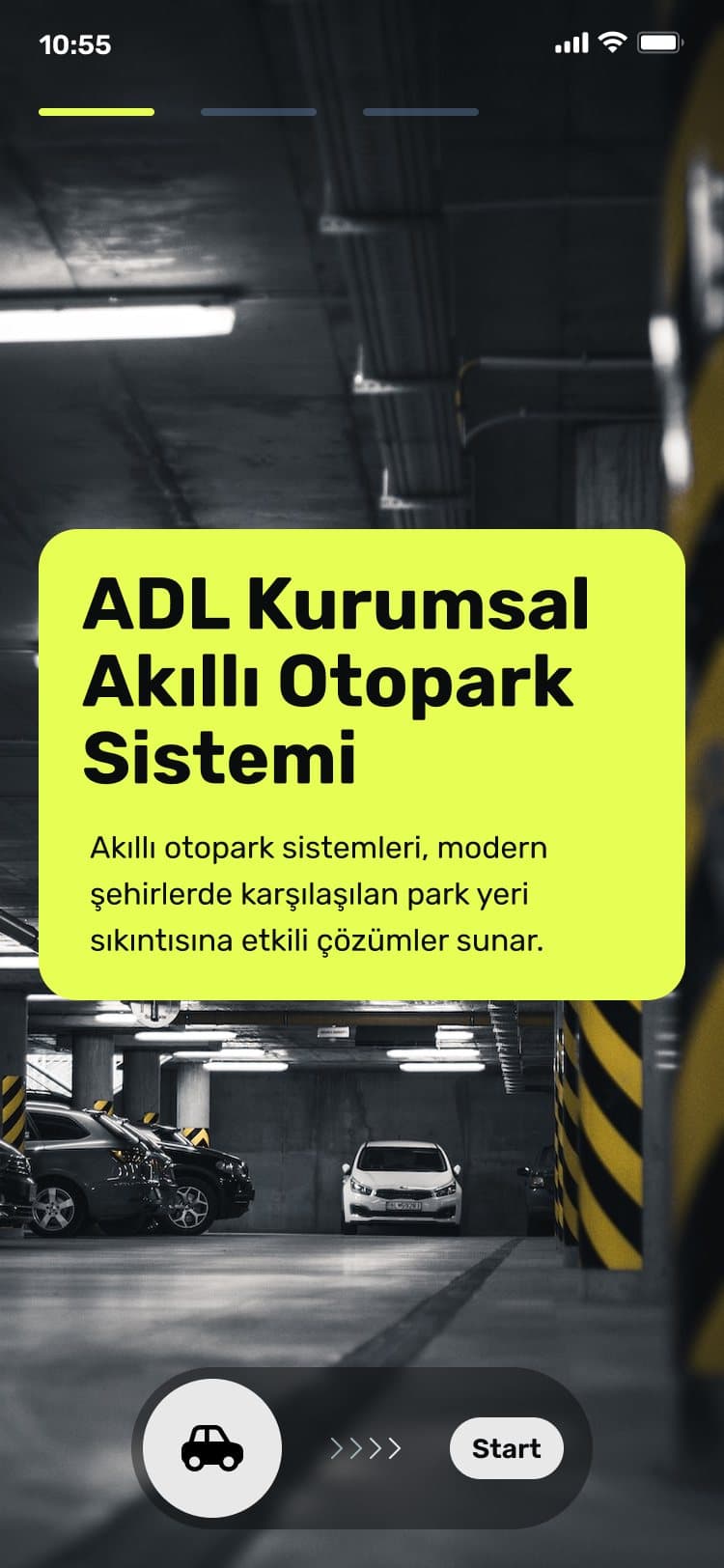
Product images are taken from the presentations in our promotional catalogue.
Who uses it
Used by public institutions, facility managers and car park operators. It is installed for municipal car parks, hospitals, shopping centres and campuses.
What problem it solves
In car park management, opening the barrier is not enough. An operator that does not know how many vehicles the car park takes, at what time it fills up and who stays how long can manage neither its capacity nor its revenue. The system records every entry and exit with licence plate recognition cameras, calculates occupancy in real time and guides the driver to a free space; it combines camera-assisted monitoring with occupancy analysis and reporting.
Who sees what, from gate to panel
The same entry-exit record has two faces: the operator panel and the driver app. The mapping below shows whom each of the system's current features serves.
Car park operator
Follows hourly occupancy, average length of stay and revenue reports in the operator panel. Sees from the records at what time the car park fills up and how its capacity is used.
Facility manager
Manages subscriber, visitor and accessible parking spaces separately at sites such as a municipal car park, hospital, shopping centre or campus. The existing barrier and camera infrastructure is connected to the system.
Driver
Selects the vehicle type in the mobile app and sees nearby car parks on a map with their occupancy. On entering the car park, is guided to a free space.
Electric vehicle driver
Selects electric vehicle in the app; the system keeps separate capacity and charging point tracking for this vehicle type.
Parts of the car park
Recognition
The vehicle is recognised by its plate at entry. Licence plate recognition cameras record every entry and exit, and movements are monitored with camera support.
- Entry and exit by plate recognition
- Integration with existing camera infrastructure
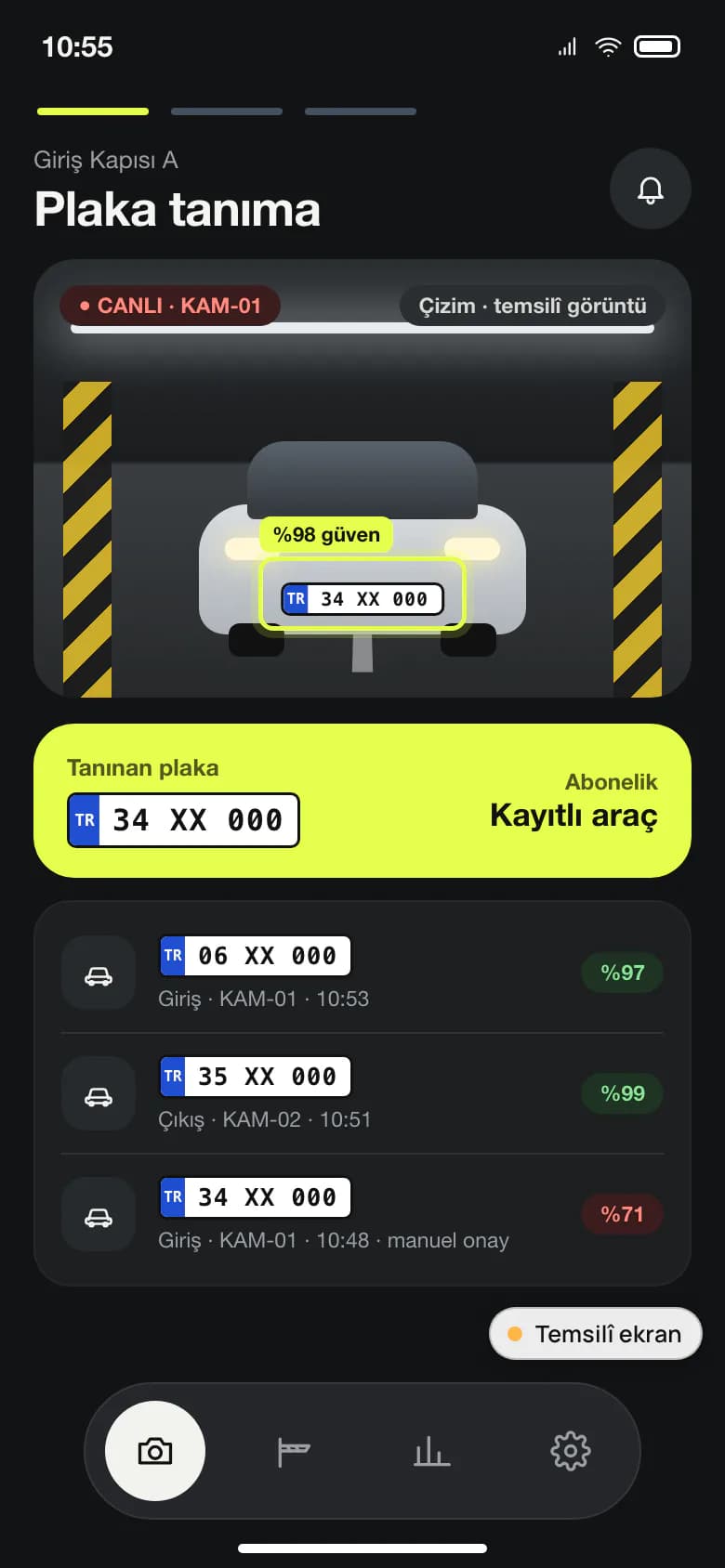
Illustrative screen Entry-exit records. Masked sample plate, entry time and camera source. Guidance
Entry and exit are controlled, with the barrier working together with the system. Because occupancy is calculated in real time, the vehicle is guided automatically to a free space.
- Barrier integration
- Occupancy map
- Guiding the driver to a free space
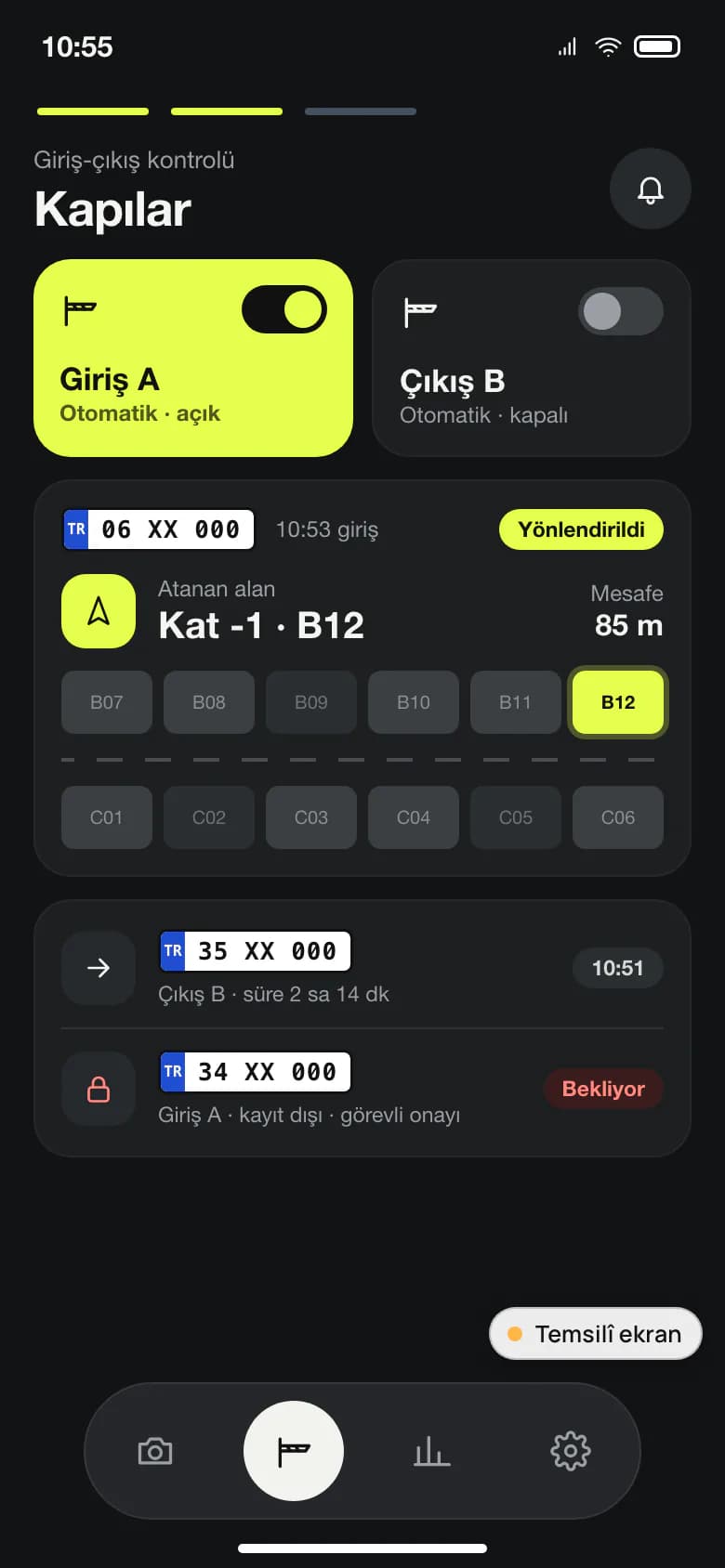
Illustrative screen Guidance. Floor and zone plan, free spaces and gate status. Operations view
Entry-exit records, hourly occupancy, average length of stay and revenue reports are gathered in the operator panel. Operational reports are produced from the same view.
- Hourly occupancy
- Average length of stay
- Revenue reporting
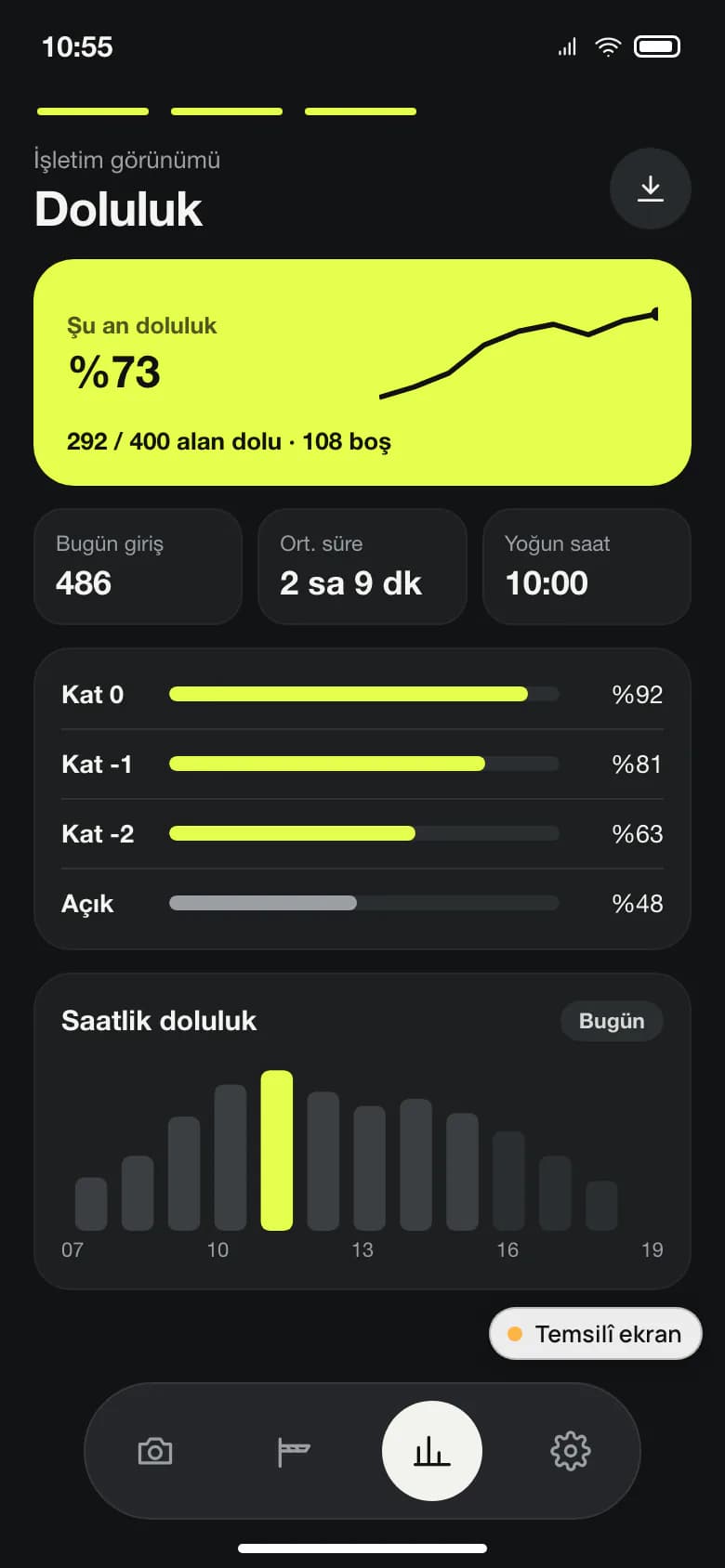
Illustrative screen Occupancy report. Hourly occupancy chart; data are samples.
Driver mobile app
The driver selects the vehicle type in the app. Nearby car parks are listed on a map with their occupancy, so the driver sees where there is space before setting off.
- Vehicle type selection
- Nearby car parks listed on a map with their occupancy
Car, motorcycle and electric vehicle
There is a separate flow for cars, motorcycles and electric vehicles. The system keeps separate capacity for each type, and electric vehicle charging points are tracked separately as well.
- Separate capacity per type
- Electric vehicle charging point tracking
Subscriber, visitor and accessible spaces
Subscriber, visitor and accessible parking spaces are managed separately from one another. This is done in the operator panel, where entry-exit records and reports are gathered.
- Subscriber parking spaces
- Visitor parking spaces
- Accessible parking spaces
The whole car park on one screen
From entry and exit to the occupancy report, the whole car park is followed on one screen. Because camera records, barrier movements, space type and revenue come together in the same panel, the operator manages capacity and revenue from the same record rather than from separate spreadsheets.
- Camera, barrier and payment data in one panel
- Capacity and revenue visible together
From survey to maintenance
Smart Parking System is part of ADL's Security Systems service area and one of the monitoring platforms developed with engineering in Türkiye. Work in this area runs in three steps: first the locations, the existing device inventory and the risk points are mapped; then the systems are installed, connected to central monitoring and staff are trained; finally, planned maintenance, fault response and monthly reporting keep the system running. The camera in the field and the software on the server are handled by the same team, with the same responsibility.
- Survey: locations, device inventory, risk points
- Installation and commissioning: central monitoring, staff training
- Maintenance and monitoring: planned maintenance, monthly reporting
Illustrative screens are prepared to explain what the product does; they contain no real institution, person or outcome data.
On-site systems it connects to
The system works integrated with existing barrier and camera infrastructure. Which connections are set up is decided in the project meeting.
Licence plate recognition cameras
Recording every entry and exit by plate.
Barrier systems
The gates where entry and exit are controlled.
Payment infrastructure
The payment records that revenue reports are based on.
Card access
Access control in areas entered by card. Staff and visitor access systems, turnstile integration and connection to time-and-attendance (PDKS) systems are part of ADL's work in the Security Systems area.
A vehicle's path from entry to exit
- The vehicle is recognised by camera at entry.
- Entry is controlled and the barrier opens.
- The vehicle is guided to a free space.
- The exit is recorded and the length of stay is calculated.
- The occupancy and operations report is produced.
Frequently asked questions about smart parking
Does it work with our existing cameras and barriers?
Yes. The system is installed to work integrated with existing barrier and camera infrastructure; payment systems and card access are also among the systems that can be connected.
Are electric vehicles and motorcycles tracked separately?
Yes. Separate capacity is kept for cars, motorcycles and electric vehicles, and electric vehicle charging points are tracked separately as well. The driver selects the vehicle type in the mobile app.
What do drivers see in the mobile app?
In the app, the driver first selects the vehicle type: car, motorcycle or electric vehicle. Nearby car parks are listed on a map with current occupancy, so instead of driving around looking for a space, the driver can choose a car park before setting off.
Which reports are in the operator panel?
Entry-exit records, hourly occupancy, average length of stay and revenue reports are gathered in the operator panel.
Can spaces reserved for subscribers or disabled drivers be managed?
Yes. Subscriber, visitor and accessible parking spaces are managed separately from one another.
Which kinds of car park is it suited to?
The system is installed for municipal car parks, hospitals, shopping centres and campuses. It is used by public institutions, facility managers and car park operators.
Do you provide maintenance after installation?
Yes. In Security Systems work, planned maintenance, fault response and monthly reporting continue after installation; response times are set by the contract.
Can you supply the cameras and other hardware too?
ADL's IT Hardware and Integration area covers supplying camera systems, installing them on site and integrating them with existing recording and monitoring infrastructure. Product selection is brand-independent and is based on the institution's needs and budget. The devices are installed on site, configured and made to work with the institution's software, and each step is closed with a test report. After acceptance, warranty, spare parts and maintenance continue under a single contract.
Let's evaluate Smart Parking System together.
A 30-minute live demo of Smart Parking System and pilot planning tailored to your car park. Tell us about your current cameras, barriers and payment infrastructure, and we will define the scope together.
Let's talk